Blog

Why Most Broker CRMs Lose Buyers After NDA — And How to Fix It

The Moment Buyers Drop Off (And Why Your CRM Is Causing It)

The Drop-Off No One Measures
Most brokers focus on generating buyer inquiries.
Fewer focus on what happens next.
A buyer clicks a listing.
They show interest.
They sign an NDA.
And then… nothing.
No immediate access.
No clear next step.
No momentum.
This is where deals quietly die.

The Typical CRM Experience (From a Buyer’s Perspective)
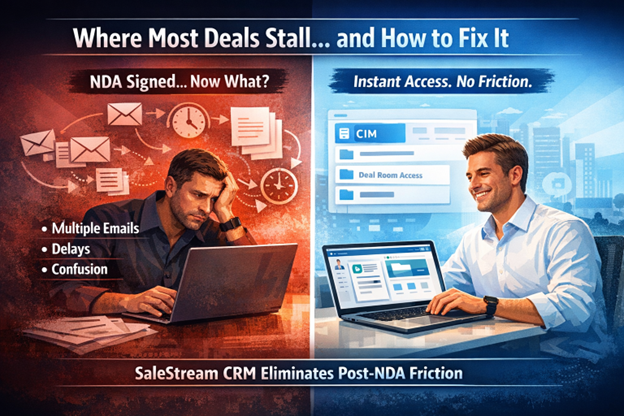
In many CRM systems used by business brokers, the post-NDA experience looks like this:
Buyer submits inquiry
Buyer receives an email
Buyer clicks a link
Buyer signs NDA
Buyer waits for another email
Buyer receives a document (sometimes)
Buyer downloads or logs in again
This multi-step process creates friction.
And friction reduces action.
Many buyers never complete the full loop.

Why This Matters More Than Brokers Think
Today’s buyers expect immediacy.
If accessing information requires:
Multiple steps
Switching between email and portals
Waiting for broker action
Engagement drops significantly.
Even serious buyers lose momentum.
The result:
Lower conversion from inquiry to active buyer
Fewer qualified conversations
Missed opportunities

Where Most Broker CRMs Fall Short
Most CRM platforms are designed around:
Lead tracking
Email workflows
Pipeline visibility
But they do not optimize for buyer experience in real time.
Instead, they rely heavily on:
Email-based document delivery
Manual approval processes
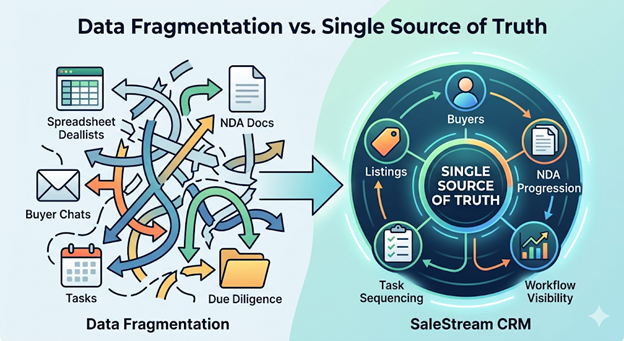
Disconnected data room access
This creates unnecessary delays in a time-sensitive process.

SaleStream CRM: Built for Immediate Engagement
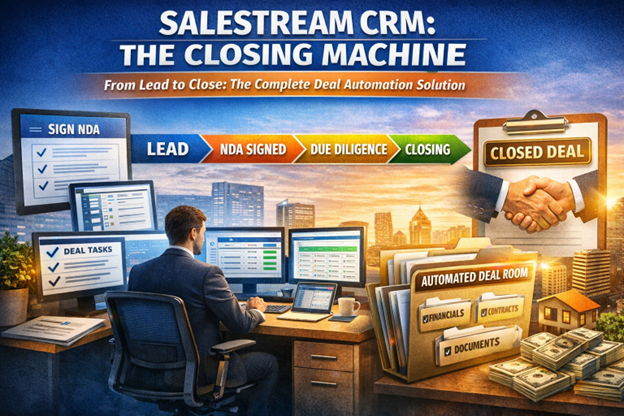
SaleStream CRM removes friction at the most critical moment: right after NDA signing.

Instant Access to Information
As soon as a buyer signs a confidentiality agreement:
The full listing (CIM) becomes immediately visible
No additional emails required
No waiting period
This keeps momentum intact and encourages immediate engagement.

Seamless Transition From Interest to Evaluation
Instead of sending buyers through multiple steps, SaleStream allows them to:
View detailed business information instantly
Understand the opportunity clearly
Decide on next steps without delay
This reduces drop-off and increases serious engagement.

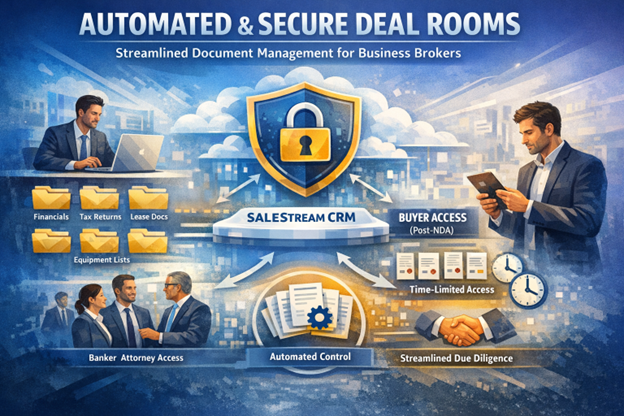
Automated Deal Room Access
Buyers are automatically granted access to a structured data room containing:
Financial summaries
Key documents
Supporting materials
Access is secure and time-limited, maintaining confidentiality while improving usability.

Flexible Control for Sensitive Deals
For listings that require additional screening:
Brokers can disable automatic access
NDAs can be reviewed manually before releasing information
This balances speed with control.

Why This Is a Competitive Advantage
By improving the buyer experience, SaleStream CRM helps brokerages:
Increase NDA-to-engagement conversion
Reduce lead drop-off
Accelerate deal timelines
Improve buyer satisfaction
Maximize value from inbound inquiries
In a competitive market, small improvements in conversion can significantly impact closed deals.

The Competitive Reality
Many CRM solutions unintentionally create friction after NDA signing.
They rely on outdated workflows that interrupt buyer momentum.
SaleStream CRM was designed to eliminate that friction entirely.

Final Thought
Generating buyer interest is only half the job.
What happens immediately after matters just as much.
A CRM that delays access creates hesitation.
A CRM that delivers instantly creates action.
SaleStream CRM was built to keep deals moving forward—without interruption.

Share This Blog Post

Leave a Comment

Your email address will not be published. Required fields are marked *

Related Articles

You May Also Like

Continue reading insights on listings, NDAs, deal management, and closing workflows. Learn how smarter workflows and automation help teams save time and close more deals.

See SaleStream in Action

A short walkthrough tailored to how your brokerage operates. No pressure. No obligation.

What you’ll see

Who it’s for

Request a demo
We’ll confirm a time by email. (Connect to Calendly or your booking flow.)
Scroll to Top